
Usage
The main feature is the ability to create palettes with a given primary color and a secondary color (used for diverging palettes). You can also give the color to diverge to/from.
Default options
const defaultOptions = {
  diverging: false,
  bezier: false,
  randomOffset: false,
  correctLightness: false,
  noDuplicates: true,
  colorScaleMode: 'lch',
  reverseDirection: false,
  divergentColor: '#f5f5f5'
};
reverseDirection: true makes the monochromatic palette go lighter instead of darker and, with diverging: true, reverses the luminance shift palette so it starts from the secondary color.
You initiate MoebiusPalettes like this:
import Moebius from '@phun-ky/moebius';

const { MoebiusPalettes, MoebiusColor } = await Moebius();

const palettes = new MoebiusPalettes({
  baseColor: new MoebiusColor('#003f5c'),
  secondaryColor: new MoebiusColor('#ff9900')
  // and any of the options above, for example diverging: true
});
And then you can enjoy your palettes!
Color names
Every MoebiusColor gets the name of the nearest known color. Tell Moebius() where the names come from with colorNames:
import Moebius from '@phun-ky/moebius';

// A map of name to hex
const { MoebiusColor } = await Moebius({
  colorNames: { Orange: '#ff9900', 'Deep Sea': '#003f5c' }
});

console.log(new MoebiusColor('#fe9a01').name); // Orange
colorNames accepts:
- a map of name to hex:
{ Orange: '#ff9900' } - an array of entries:
[{ name: 'Orange', hex: '#ff9900' }] - a URL, as a string or a
URL, to JSON in either shape, or{ colors: [{ name, hex }] }. A relative URL works in the browser, so an app can serve its own list:
const { MoebiusColor } = await Moebius({ colorNames: '/colornames.json' });Invalid data throws a TypeError, and a URL that responds with an error status throws an Error.
Deprecated default
Without colorNames, Moebius() fetches about 32,000 names (2.3 MB) from https://color-names.herokuapp.com/v1/ on every call, and logs a warning once. That default is deprecated, and 3.0 will stop fetching by default. Pass colorNames, for example the color-name-list data converted to name and hex.
Palettes
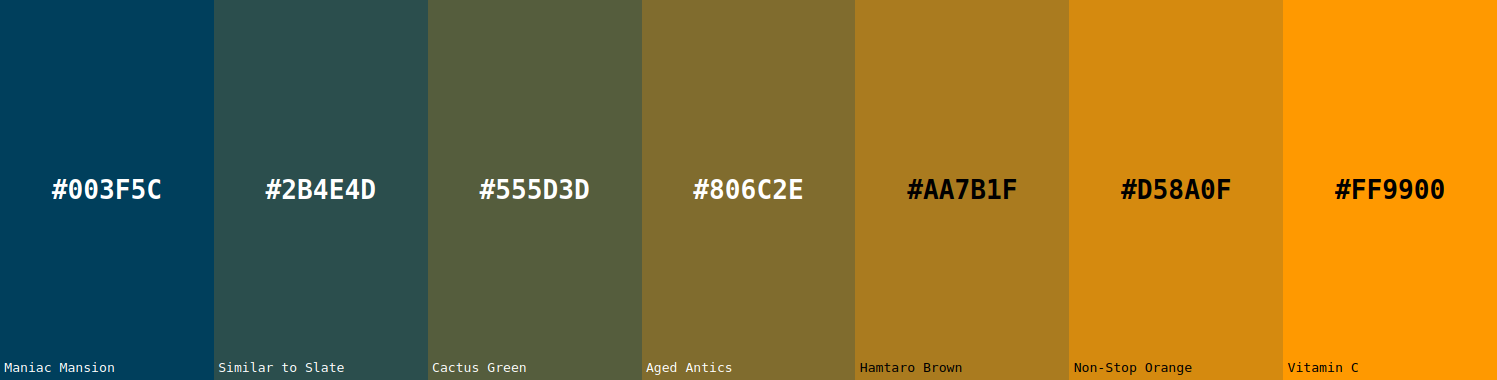
Interpolate
console.log(palettes.colors.interpolate);
/*
[
  "#003f5c",
  "#2c4a7b",
  "#624f90",
  "#9b4e95",
  "#ce4c87",
  "#f4556b",
  "#ff7144",
  "#ff9900"
]
*/
Gives you an array of hex-colors.
Luminance shift
console.log(palettes.colors.luminanceShift);
/*
[
  "#002540",
  "#003f5c",
  "#2b5a79",
  "#4b7798",
  "#6a96b7",
  "#8ab5d8",
  "#aad6fa",
  "#cbf7ff"
]
*/
Gives you an array of hex-colors. 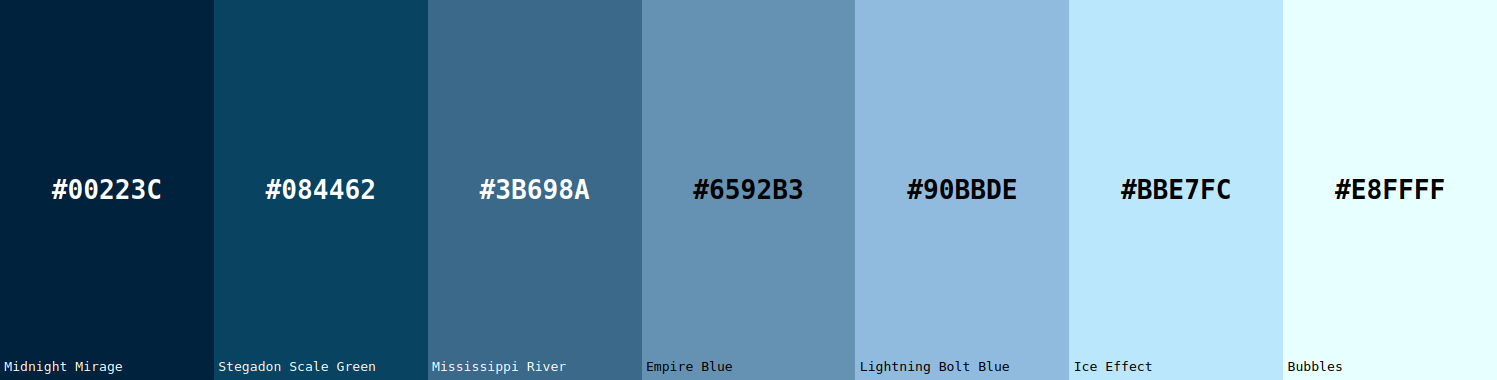
If you diverge them, it could look like this: 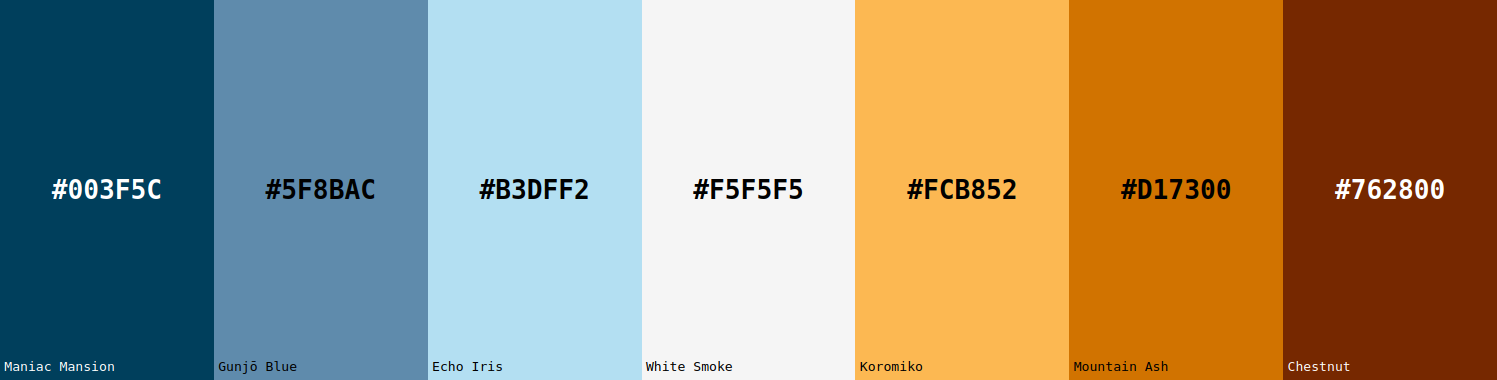
Monochromatic
console.log(palettes.colors.monochromatic);
/*
[
  "#003f5c",
  "#003342",
  "#002329",
  "#000e0f",
  "#000000"
]
*/
Gives you an array of hex-colors. 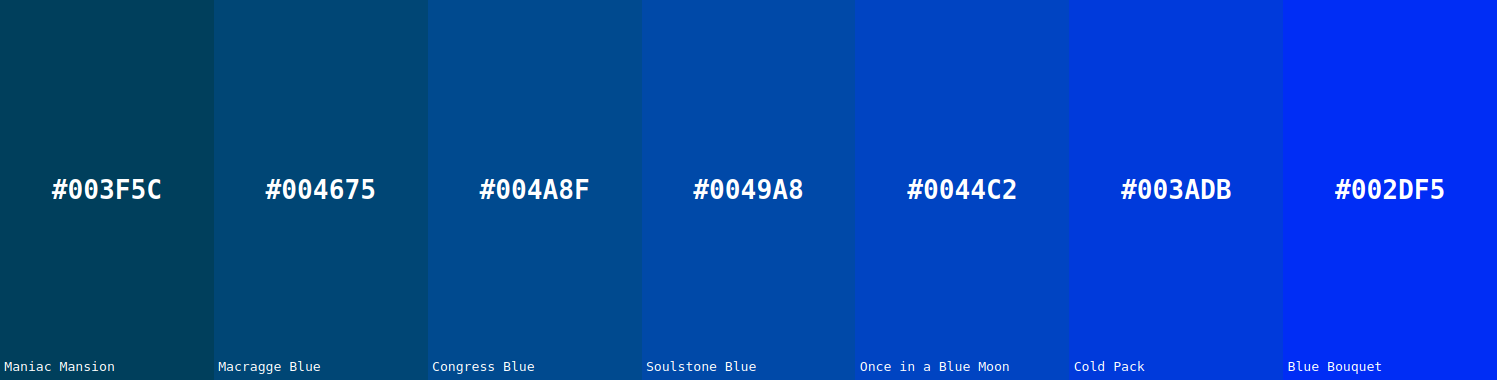
Complement
console.log(palettes.colors.complement);
/*
[
  "#003f5c",
  "#1e3a60",
  "#37335d",
  "#4b2a54",
  "#5b1f45",
  "#631732",
  "#63161c",
  "#5c1d00"
]
*/
Gives you an array of hex-colors. 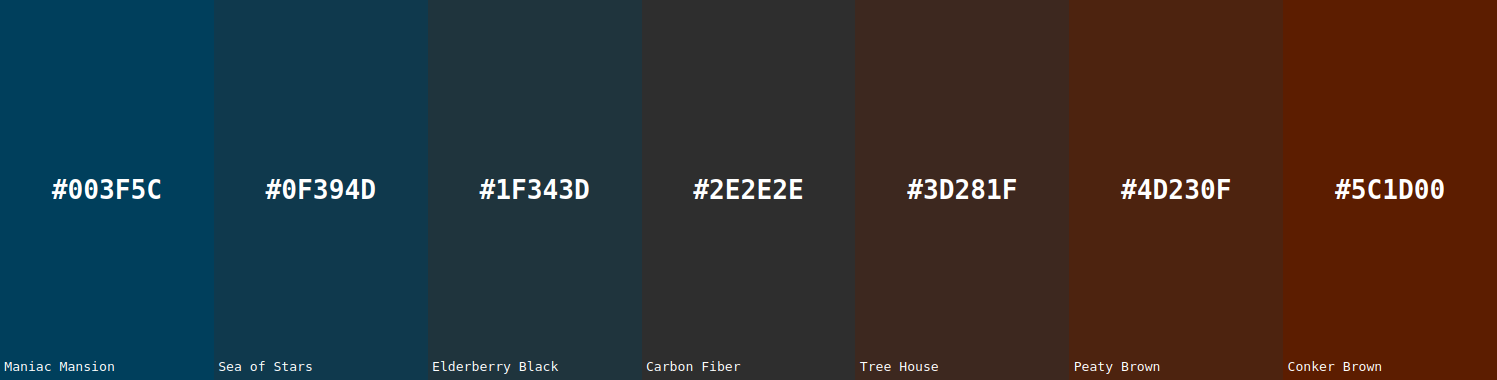
Split
console.log(palettes.colors.split);
/*
[
  "#003f5c",
  "#2d325d",
  "#4f1e4b",
  "#5e0227",
  "#5f0f0b",
  "#622600",
  "#613a00",
  "#5c4b00"
]
*/
Gives you an array of hex-colors. 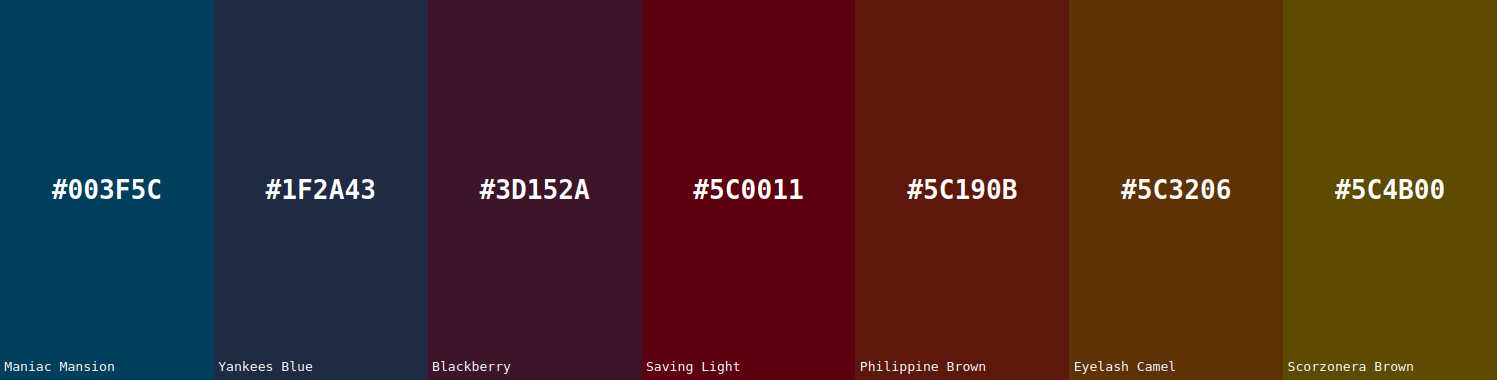
Triadic
console.log(palettes.colors.triadic);
/*
[
  "#003f5c",
  "#1a3761",
  "#3a295d",
  "#53144c",
  "#6a0030",
  "#71220f",
  "#614200",
  "#3f5c00"
]
*/
Gives you an array of hex-colors. 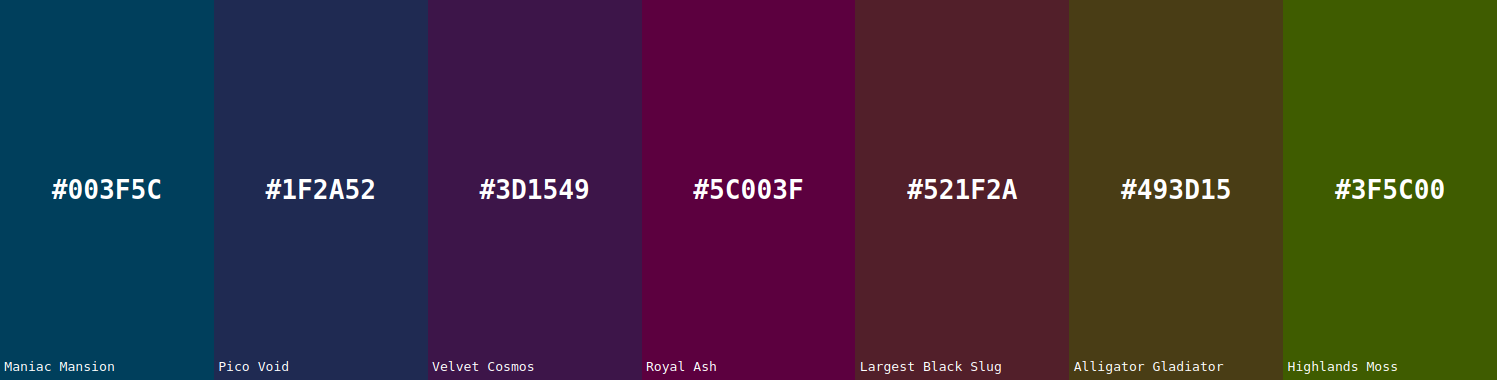
Tetradic
console.log(palettes.colors.tetradic);
/*
[
  "#003f5c",
  "#013269",
  "#3c1764",
  "#63003e",
  "#660018",
  "#5b2700",
  "#4a4300",
  "#115c00"
]
*/
Gives you an array of hex-colors. 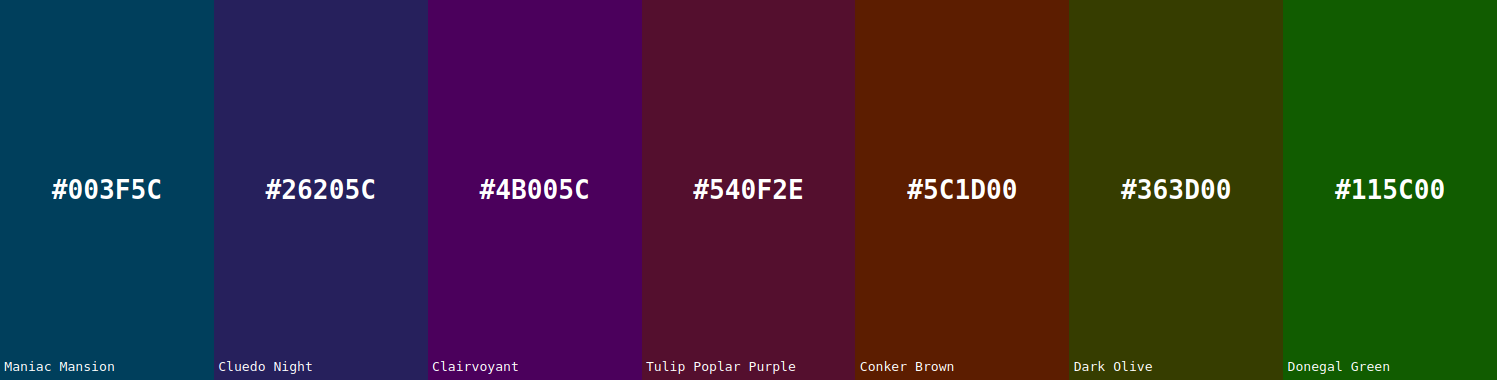
Pentadic
console.log(palettes.colors.pentadic);
/*
[
  "#003f5c",
  "#3c2b58",
  "#5c062d",
  "#641c0d",
  "#643f00",
  "#555500",
  "#395900",
  "#005c0b"
]
*/
Gives you an array of hex-colors. 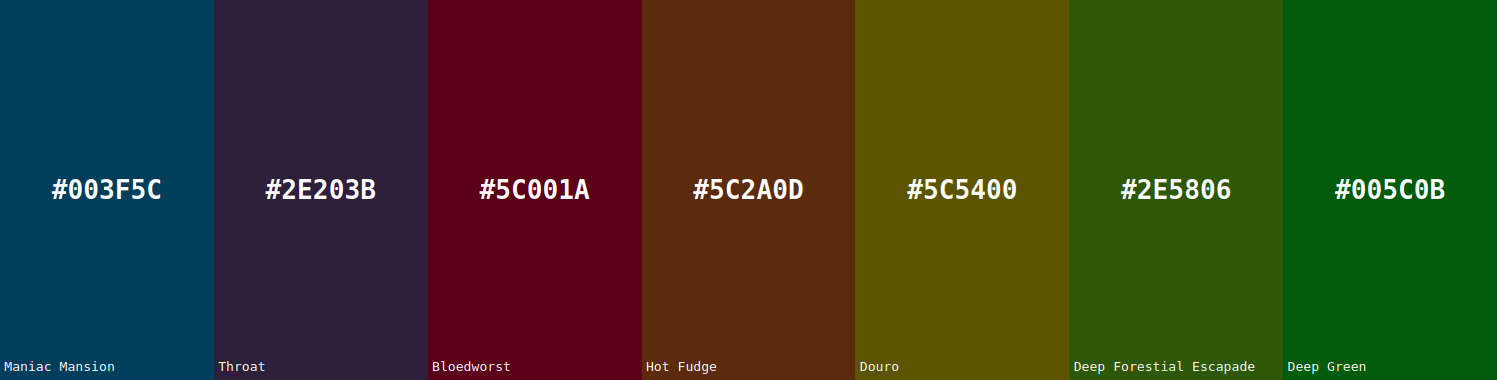
Hexadic
console.log(palettes.colors.hexadic);
/*
[
  "#003f5c",
  "#3a295d",
  "#600036",
  "#620f14",
  "#5c3000",
  "#485400",
  "#2c5c0d",
  "#005c1d"
]
*/
Gives you an array of hex-colors. 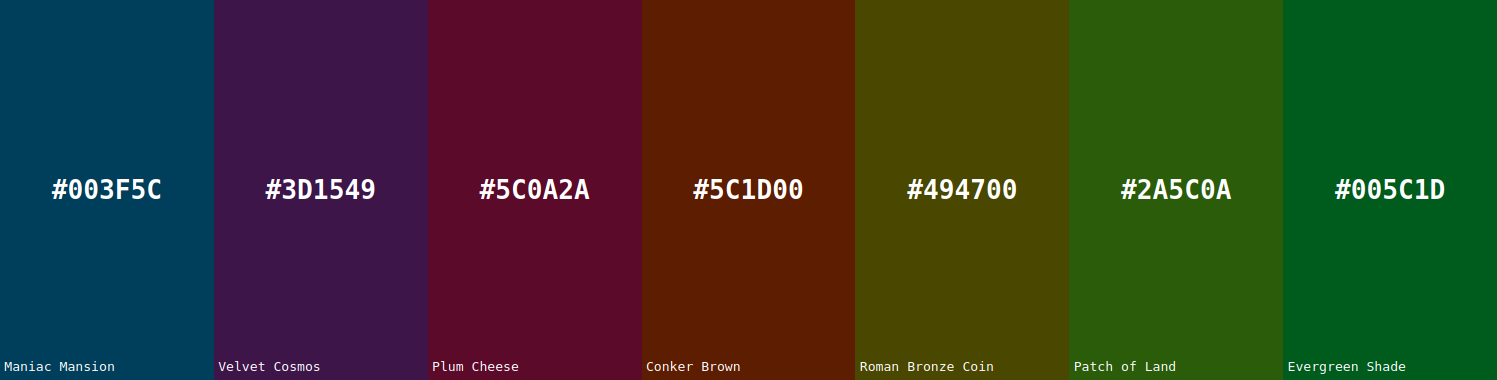
Analogous
console.log(palettes.colors.analogous);
/*
[
  "#003f5c",
  "#002f62",
  "#001b5f",
  "#090d5c",
  "#16065c",
  "#26005c",
  "#3b005c",
  "#4b005c"
]
*/
Gives you an array of hex-colors. 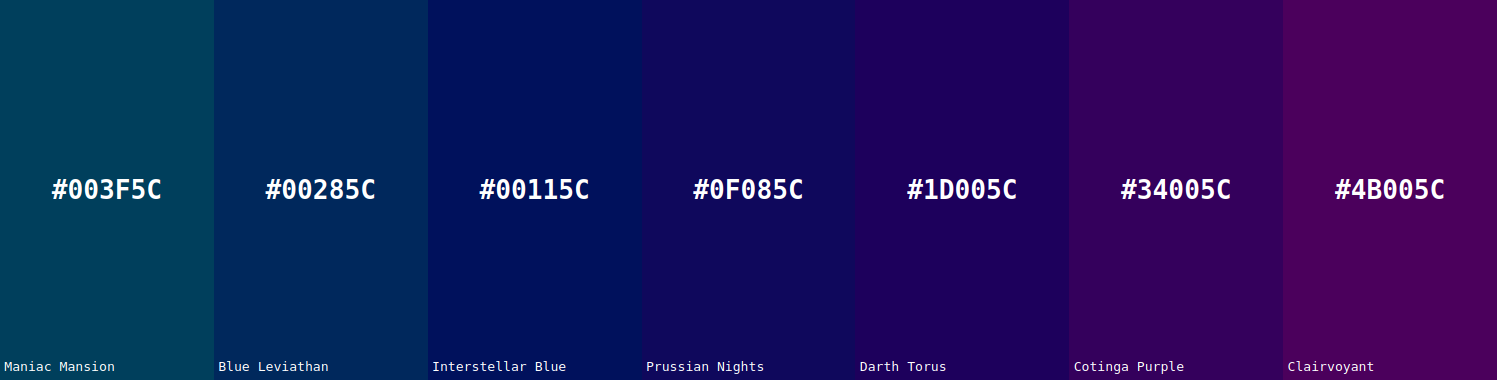
Color Objects
import Moebius from '@phun-ky/moebius';

const { MoebiusColor } = await Moebius();

//
const color = new MoebiusColor('#003f5c');

console.log(color.hsl); // hsl(199, 100%, 18%);
This will make available a color object with all of the colors readily converted and ready to use. This is an example output of the color object:
{
  "color": "#003f5c",
  "name": "Maniac Mansion",
  "hex": "#003f5c",
  "rgb": "rgb(0, 63, 92)",
  "hsl": {
    "h": 199,
    "s": 100,
    "l": 18
  },
  "hwb": {
    "h": 0.45,
    "w": 0,
    "b": 0.64
  },
  "hsv": {
    "h": 198.91,
    "s": 1,
    "v": 0.36
  },
  "lab": {
    "l": 24.72,
    "a": -5.95,
    "b": -22.26
  },
  "xyz": {
    "x": 0.37,
    "y": 0.43,
    "z": 0.38
  },
  "lch": {
    "l": 24.72,
    "c": 23.04,
    "h": 255.03
  },
  "oklch": {
    "l": 0.35,
    "c": 0.08,
    "h": 236.65
  },
  "hsi": {
    "h": 197.96,
    "s": 1,
    "i": 0.2
  },
  "oklab": {
    "l": 0.35,
    "a": -0.04,
    "b": -0.06
  },
  "cmyk": {
    "c": 100,
    "m": 0,
    "y": 32,
    "k": 64
  }
}
toString
For the non-CSS units, the color object also exposes a toString method pr unit:
const color = new MoebiusColor('#003f5c');

console.log(color.hsl.toString()); // "hsl(199, 100%, 18%)"
toObject
The color object exposes a toObject method, that allows to objectify from any color unit given to either a color object for the hsl units, or default rgb:
const color = new MoebiusColor('#003f5c');

console.log(color.toObject('hsl')); // { h: 199, s: 100, l: 18 }
console.log(color.toObject()); // { r: 0, g: 63, b: 92 }
toFloat
The color object exposes a toFloat method, that allows to objectify to float values, as in 0-1 instead of 0-255/0-100 from any color unit given to either a color object for the hsl units, or default rgb:
const color = new MoebiusColor('#003f5c');

console.log(color.toFloat('hsl')); // { h: 199, s: 1, l: 0.18 }
console.log(color.toFloat()); // { r: 0, g: 0.25, b: 0.36 }
Types
Types can be found in @phun-ky/moebius/moebius.d.ts.